


MusWall: Music Album Wallpaper
2.412.00 Reviews
App Specs
- Version
- 1.3.4
- Updated On
- License
- Free
- Downloads
- 10,000+
- Developer
- hanks
- Categories
- Personalization
- Platform
- Android
Screenshots
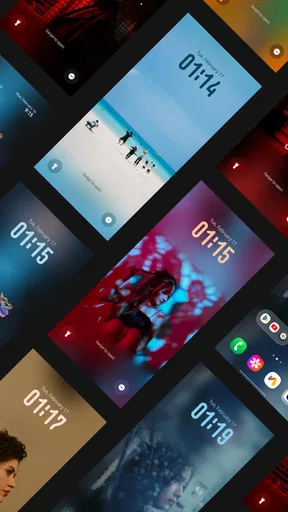
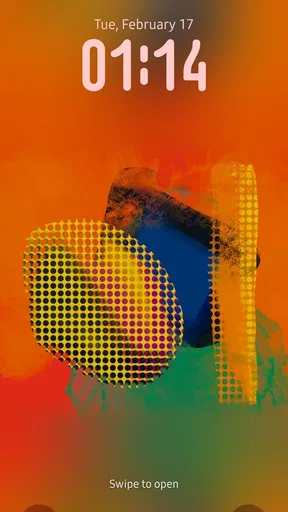
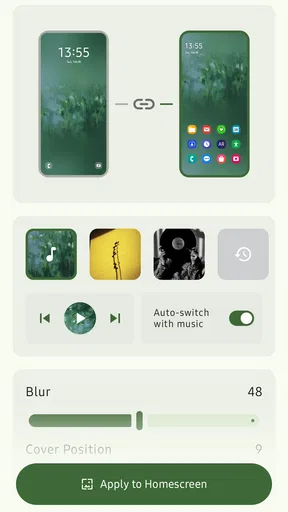
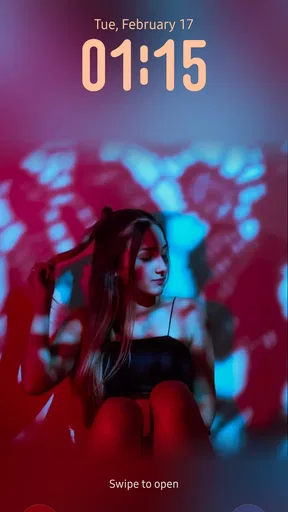
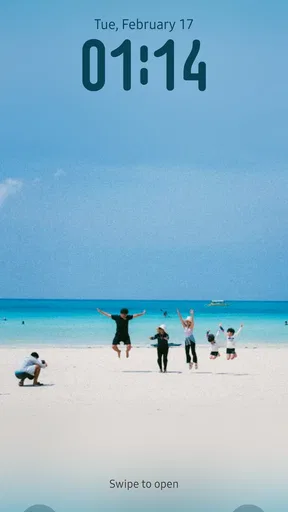
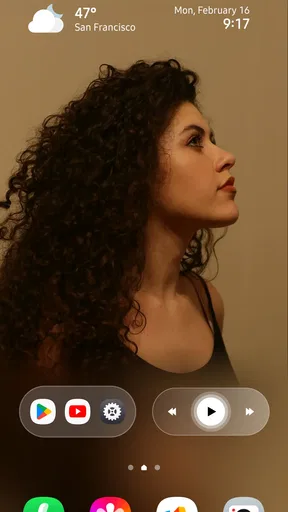
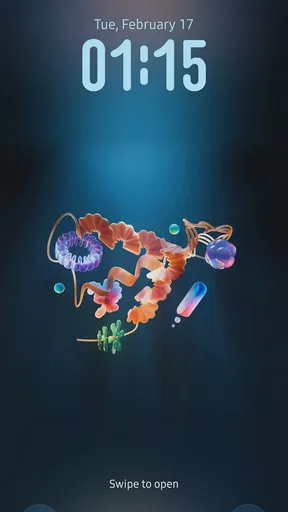
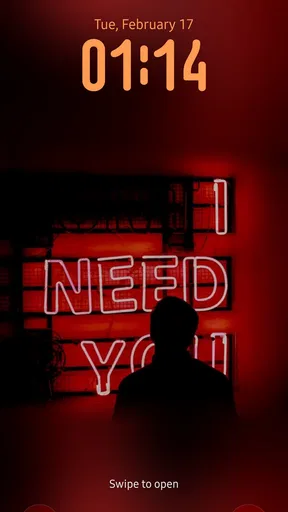
 Analysis by AppCompare
I like the idea behind MusWall: Music Album Wallpaper: letting album art shape the look of a phone instead of relying on the same scenic backgrounds and abstract designs. That makes it appealing if music is part of how you express yourself, though a wallpaper app has to earn its place through more than a good concept. The important questions are practical ones: how much control do you want, how does it fit into a phone routine, and what happens when you’re away from a reliable connection?
When connectivity becomes part of the experience
Because the artwork is tied to music album covers, browsing can feel like a small discovery session rather than simply picking an image from a folder. That can be a pleasant way to find a visual mood for the day, but it also makes network conditions relevant: if the app is loading choices or refreshing its selection, a weak connection may interrupt the flow. I’d treat browsing as something to do when reception is steady, rather than expecting a quick search to behave identically everywhere.
A useful habit is to make the selection before you actually need to change your screen. If you’re heading out, choose the cover and finish setting it while you still have time and a dependable connection. That avoids turning a simple personalization task into a stop-and-start distraction on a commute. I also wouldn’t assume that every cover you have seen will be ready to use later without checking it first; the safest approach is to confirm your chosen wallpaper is applied before leaving.
Where it fits into a mobile routine
The strongest use case is for someone who changes their phone’s look to match a current listening phase: a favorite record on a long trip, a nostalgic cover during a quiet weekend, or a fresh visual after discovering a new artist. Album art can be more personal than a generic wallpaper because it connects the screen to a specific memory or taste. That connection is the real point here, not a promise that a wallpaper will improve the phone’s performance or change how music plays.
For everyday use, I’d keep the process low-pressure. Pick one image that works behind your icons, check whether important text remains easy to read, and then leave it in place long enough to enjoy it. A detailed or high-contrast cover may look striking on its own but compete with widgets and app labels. If that happens, a less busy image—or a different crop, if the app’s controls allow it—may be a better choice than piling on visual adjustments.
Handling interruptions and choosing carefully
Any app that depends on browsing a collection can feel less convenient when the network is slow, and I’d avoid starting a wallpaper change while juggling another task. If a selection doesn’t appear promptly, returning to it when the connection is steadier is more sensible than repeatedly tapping and risking confusion about which image you chose. For a phone you rely on throughout the day, it is worth checking the finished home screen and lock screen before you consider the job done.
There is also a personal trade-off in the concept: album covers are artwork, but not every cover makes a readable background. If you prefer a calm, minimal screen, a plain color or a simple photograph may serve you better. If what you want is a rotating collection of landscapes, user-shot pictures, or elaborate live effects, a dedicated wallpaper library is likely a closer fit. This app makes most sense when the album artwork itself is the reason you want to customize.
Worth Reading Before You Choose

Baby Panda World Brings Quick Play to Modern Phones, but Its Game Library Feels Busy

ESPN’s Live Game View Makes Following Close Games Easier

QuizzLand Review: A Good Fit for Short Trivia Breaks, Not Every Player

Basketball Stars: Multiplayer Is Fast, but Can It Recover When Matches Go Wrong?

WEBTOON Turns Phone Updates Into a Better Reading Routine

Link to Windows Runs on Shared Habits, Not Social Feeds
Data-conscious choices
I’d be selective about browsing when mobile data is limited, especially if you are exploring a lot of artwork rather than choosing one known favorite. The practical compromise is to browse deliberately, settle on a cover, and avoid treating the app as an endless feed while away from Wi-Fi. That keeps the experience focused and makes it easier to judge whether the image works on your actual screen before moving on to another option.
It is also worth considering how often you really change wallpapers. If you like one album cover for weeks, the app can be an occasional customization tool rather than something you open every day. If you expect constant new material, frequent browsing may be less satisfying when connectivity is inconsistent. In either case, I would make the final selection based on how it looks with your icons and notifications, not only on how attractive it appears in a preview.
Bringing Music and Art Together
One of the first things I noticed about MusWall is how it seamlessly blends music with visual art. The app is designed to transform your phone screen into a dynamic gallery of music album wallpapers. Whether you’re into rock, pop, jazz, or classical, you’ll find a plethora of album covers to choose from. It’s like having a mini art exhibit right in your pocket!
Easy Navigation and User-Friendly Design
Let’s talk about usability for a second. Navigating through the app is a breeze. It has a clean and intuitive interface which, in my opinion, makes it super user-friendly. You can easily search for your favorite album covers or browse through different categories. The app does a great job of categorizing albums by genre, so finding the right vibe for your wallpaper is just a few taps away.
Customization at Your Fingertips
What’s really impressive is the level of customization you get with your wallpapers. You’re not just stuck with static images; MusWall lets you adjust and personalize your wallpapers to suit your taste. You can tweak the brightness, contrast, and even add filters. It adds a personal touch that makes your phone feel truly yours.
A Trip Down Memory Lane
For those of us who love a bit of nostalgia, MusWall is a goldmine. I found myself scrolling through album covers from my teenage years, and it brought back so many memories. It’s not just about aesthetics; it’s about reliving those moments when you first heard that iconic album. It’s like carrying a piece of your musical journey with you.
Regular Updates and Expansive Library
One of the things I appreciate most is that the app is regularly updated with new album covers. This means you’re not limited to what’s currently available. The developers are clearly committed to expanding the library, which is fantastic for music enthusiasts who are always on the lookout for the latest releases.
Seamless Integration
Another noteworthy feature is how well MusWall integrates with other apps. It works seamlessly with social media platforms, allowing you to share your personalized wallpapers with friends. Plus, the app is lightweight, so it doesn’t hog your phone’s resources. You can enjoy beautiful album covers without worrying about performance issues.
What to expect before installing
MusWall is a free personalization app from developer hanks, with optional in-app purchases priced from $1.99 to $4.99 per item. It is rated for Everyone, and its current version is 1.3.2. The release date is February 8, 2026, and it requires Android 10 or later. Its average rating is 2.4 from 52 ratings, with 11 written reviews and more than 10,000 installs. I would take that low average seriously as a reason to approach it with measured expectations, rather than assuming the idea alone guarantees a smooth experience.
That does not make it an automatic skip. If you mainly want album artwork as a personal visual choice, the core appeal may be enough; if you expect a polished, endlessly reliable wallpaper service, the rating is a sensible prompt to test the basics early. I’d begin by searching for a cover I know I want, checking that the image can be adjusted to suit my screen, and seeing whether the result remains comfortable to use with icons on top. That small trial tells you more than prolonged browsing before you know whether the app fits your habits.
A practical way to make a cover work
One non-obvious challenge with album art is that square artwork and a tall phone display do not naturally match. A cover can lose important details when adapted to a vertical screen, or its central lettering can sit under icons and widgets. I’d choose artwork with a clear focal point and enough visual breathing room, then inspect the applied result rather than judging only the original square image. If a favorite cover is too busy, adjusting brightness or contrast may help, but restraint matters: heavy filtering can weaken the colors and design that made the album meaningful in the first place.
This is also where MusWall differs from choosing a picture already saved on the phone. A local photo gives you direct control over the source image and is a dependable alternative when you already have a particular crop in mind. A general wallpaper app may be better for broad themes or landscapes. MusWall’s narrower appeal is the connection between music identity and screen art; that focus is a plus for album-cover fans and a limitation for anyone who wants a wide range of unrelated styles.
Who will enjoy it, and who may not
I’d recommend trying it if you enjoy revisiting album art, like changing the mood of your home screen, or want a visual reminder of music that matters to you. It can also suit someone who prefers a small, deliberate act of personalization over a complete phone makeover. A realistic routine might be choosing a record cover on a Sunday evening, checking that notifications remain readable, and keeping it as the background for the coming week. That gives the image a chance to feel personal without making customization another daily chore.
I’d skip it if you need an especially quiet screen, don’t care about album artwork, or want wallpaper choices that are guaranteed to be available instantly in every network situation. It may also be a poor fit if you dislike experimenting with crops and image adjustments: a cover that looks great in a square can be awkward on a phone. For those cases, a plain background, a photo from your own gallery, or a broader wallpaper app offers a more direct route to the result you want.
Making the most of occasional use
Since this is a personalization app rather than a music player, I would not install it expecting listening controls or a way to manage a music library. Its purpose is visual. That distinction is worth keeping in mind if you arrive from the music angle: the cover can represent a favorite album on your screen, but it should not be confused with a service for finding, streaming, or organizing songs.
For a data-conscious workflow, decide what you are looking for before you open the app. Searching for one memorable cover is a more focused task than browsing without an endpoint, particularly when you are on mobile data or moving through areas with patchy reception. Once you have a wallpaper you like, take a moment to check the screen in ordinary use—when a notification arrives, when icons are visible, and when brightness changes. Those checks help catch readability problems that a preview can hide.
Potential buyers may also wonder whether the optional purchases are necessary. The app is free to try, while individual in-app items are listed in the $1.99–$4.99 range; I would first see whether the free experience contains the kind of artwork and control I want before spending anything. For someone who changes a wallpaper rarely, even a modest purchase may not add much value. For a dedicated album-art enthusiast who finds a selection they genuinely want, the decision is more personal, but I would base it on the actual options encountered rather than on the promise of a larger collection.
Final Thoughts
All in all, MusWall: Music Album Wallpaper offers a unique way to express your love for music through stunning visuals. It’s an app that bridges the gap between music and art, making your phone both a practical and aesthetic tool. Whether you’re a hardcore music fan or just someone who appreciates good design, this app is definitely worth checking out.
So, what are you waiting for? Dive into the world of MusWall and let your phone tell your musical story. Trust me, you won’t regret it!
My connectivity verdict
For me, connectivity is a consideration, not the reason to choose or reject the app. I’d browse when I have a steady connection, make one considered choice, and verify the finished wallpaper before relying on it for the day. If that occasional, music-led customization sounds appealing, MusWall is worth a cautious try. If your priority is instant access to a locally saved image or a broad collection of general backgrounds, another option will probably be less frustrating.
Pros
- High-quality album art collection.
- Easy to set wallpapers with one tap.
- Regular updates with new albums.
- Customizable wallpaper settings.
- Supports various screen resolutions.
Cons
- Limited free album selection.
- Ads can be intrusive at times.
- Requires internet for full features.
- No offline mode for wallpapers.
- Occasional app crashes reported.
FAQs for MusWall: Music Album Wallpaper
What is MusWall and how does it work?
MusWall is an app that lets you transform your music album covers into stunning wallpapers for your device. It integrates with your music library to access album art and offers customization tools to adjust the wallpaper’s look. Simply select an album, tweak the settings, and set your personalized wallpaper.
Is MusWall compatible with all music streaming services?
MusWall primarily supports popular streaming services like Spotify and Apple Music to access album art. However, compatibility may vary with less common platforms. Ensure your music library is synced with these major services for the best experience. Check the app's compatibility list for detailed information.
Does MusWall affect my device’s battery life?
MusWall is designed to minimize battery usage by optimizing wallpaper resolutions and refresh rates. While using dynamic wallpapers can consume more power than static ones, MusWall offers settings to balance quality and performance, ensuring minimal impact on battery life.
Can I customize the album art wallpapers?
Yes, MusWall offers extensive customization options. Users can adjust colors, add effects, and choose from various layouts to personalize their wallpapers. The app also includes filters and overlays to enhance the visual appeal, allowing for a truly unique home screen experience.
Is MusWall free to use, or does it require a subscription?
MusWall offers a free version with basic features and a premium subscription for advanced options. The premium plan unlocks additional customization tools, higher quality images, and an ad-free experience. Users can choose based on their needs and how much they want to personalize their device.


